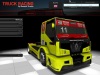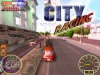
Racer is a free cross-platform car simulation project (for non-commercial use), using professional car physics to achieve a realistic feeling and an excellent render engine for graphical realism. Cars, tracks and such can be created relatively easy (compared to other, more closed driving simulations). The 3D files, physics and other Racer-specific file formats are documented. Editors and support programs are also available to get a very customizable and expandable simulator. OpenGL is used for rendering.
FEATURES
- It's totally free!
(for
non-commercial use)
- Available for multiple platforms; Windows
2000/XP (95/98/ME may work but have some
trouble with fonts), Linux and
Mac OS X.
- 6 DOF chassis movement (the car can move around
freely); around 15 DOFs in a total car (wheels/engine/clutch etc).
- Uses motion formulae from actual
engineering
documents from SAE for example.
- Incredible flexibility;
almost
everything is customizable through ASCII files.
- Commercial-quality
rendering engine (with smoke, skidmarks, sparks, sun, flares,
vertex-color lit tracks).
- Support for Matlab (log files can be converted
into Matlab format for further analysis & processing).
- Support for Matrox' Surround Gaming. See the
corresponding page on Matrox' site.
- Lots of addon cars and
tracks available on the web (over 100 tracks & cars).
- Easy integration of
your own cars and tracks that you create in ZModeler, 3D Studio
Max(tm), Maya etc.
- At least 15 degrees of freedom for a regular car
(6 DOF for the car body, 1 for each wheel's vertical motion and 1 for
each wheel spinning, and 1 for the engine, several more for the
driveline). Depending actually on how many wheels you put on the car.
- Real-time internal clock; no physical dependency
on framerate. Controller updates are also done independently of the
framerate.
- Not limited to 4 wheels; anything from 2 to
8 wheel vehicles are currently supported (but mostly untested, and some
problems with hardcoded differentials for example may exist (v0.5.0)).
- Not much constraints on the track data;
surface info is taken from polygon data (VRML tracks), and splines are
used to smooth out the track surface (polygons are too harsh for
driving on just like that).
- Tools to modify the
cars & tracks are freely available on this site (though some
external utilities like 3D Studio Max are recommended for best results).
- Some used algorithms are explained on this site,
so this site can be interesting to learn from if you create your own
car simulation software. Also, links and references are available.